Assetto Corsa stands out as a top choice for sim racing fans. It delivers realistic driving physics that make every turn and straight feel authentic. What truly sets it apart, though, is the active modding scene. These additions let players swap in new vehicles, circuits, and even tweak weather effects to match real-world conditions. Mods breathe fresh life into the base game, turning a solid title into an endless playground for enthusiasts.
Yet, diving into mods can feel daunting at first. Newcomers often hit snags like crashes or missing files that pull them out of the immersion. This guide breaks it down step by step. You’ll learn safe ways to grab and set up extras without the usual headaches. Whether you’re after a sleek hypercar or a winding mountain pass, these tips ensure smooth sailing. By the end, you’ll handle updates and fixes like a pro, keeping your garage stocked and your laps uninterrupted.
Think of mods as custom parts for your virtual ride—they enhance performance but need proper fitting to avoid breakdowns. Over the years, the community has refined tools and practices to make this easier. For instance, dedicated apps now handle much of the heavy lifting, reducing manual errors. Still, a bit of prep goes a long way. Always scan files for threats and check compatibility with your setup. This approach not only saves time but also protects your system from unwanted surprises.
In the sections ahead, we’ll tackle everything from picking reliable sources to troubleshooting stubborn issues. Expect clear paths through the process, backed by insights from seasoned players. If you’re ready to expand your horizons on the track, let’s shift gears and get started.
What Makes Assetto Corsa Mods So Essential for Sim Racers?
Mods transform Assetto Corsa from a great game into a personalized racing universe. At their core, they add layers of detail that the original release couldn’t cover alone. Picture this: the base version packs solid cars and tracks, but it stops short on variety. Extras fill that gap, bringing in everything from vintage rally beasts to cutting-edge prototypes. They don’t just look good—they handle with precision tuned by experts who obsess over real-world data.
One key draw is replay value. Without them, you might lap the same circuits a dozen times before boredom sets in. Add a few well-chosen packs, and suddenly you’re exploring forgotten gems like foggy European backroads or sun-baked American ovals. This keeps sessions fresh, whether you’re practicing hot laps solo or battling friends online. Moreover, many updates improve visuals and sounds, making rain-slicked tarmac glisten or engines roar with lifelike growl.
From an analytical standpoint, mods address the game’s age. Released over a decade ago, Assetto Corsa thrives thanks to community tweaks that align it with modern standards. Tools like enhanced shaders boost frame rates while adding dynamic lighting—crucial for spotting apexes in low light. However, not all additions shine equally. Some demand more setup, which is why understanding their role matters. They extend the game’s lifespan, but poor choices can drag performance down.
Additionally, mods foster creativity. Players craft liveries, adjust setups, or even build full seasons around custom content. This hands-on element appeals to tinkerers who enjoy fine-tuning as much as racing. In essence, these extensions make the sim feel alive and evolving. They turn passive play into active engagement, where your choices shape the experience. As we move forward, remember: the best ones blend seamlessly, enhancing without overwhelming.
To see real impact, consider how pros use them. Many esports teams rely on specific vehicle packs for training, ensuring setups mirror official series. This level of depth isn’t accidental—it’s the result of dedicated modders sharing knowledge freely. Yet, with great power comes the need for care. Jumping in blind risks frustration, so let’s explore how to source them wisely next.
How to Download Assetto Corsa Mods Safely from Trusted Sources?
Finding reliable spots for extras starts with knowing where the community gathers. RaceDepartment tops the list as a hub for vetted content. It hosts thousands of options, from drift-tuned sedans to historic grand prix venues. Users upload with ratings, so you spot gems quickly. Always create a free account to access downloads—it’s quick and unlocks forums for tips.
Assetto Corsa Club offers another solid choice, focusing on tested packs. Here, files come pre-checked for issues, minimizing surprises. Their catalog emphasizes quality over quantity, ideal if you’re easing in. Download speeds impress, too, thanks to direct links without heavy ads.
OverTake.gg rounds out the essentials, blending mods with discussions. It’s great for discovering niche items like sound overhauls. However, scan everything with antivirus software first. Malicious files sneak in occasionally, so tools like Malwarebytes add peace of mind.
Now, on the practical side: search with specifics. Type “BMW M3 E30 drift” instead of just “car mod” to narrow results. Check dates—2025 updates ensure compatibility with latest patches. Read comments for red flags, like frequent crashes. This vetting saves hours later.
BeReviewers also curates helpful guides on sim racing tweaks, including mod roundups.BeReviewers dives into user experiences, highlighting what works in real setups. Their insights complement downloads, offering context beyond files.
Therefore, build a routine: browse two or three sites per session, note favorites, and verify safety. This method keeps your library growing without clutter. As downloads pile up, organization becomes key—more on that soon. But first, grasp formats: most arrive as .7z or .zip archives. Free extractors like 7-Zip handle them effortlessly, preventing extraction glitches right off the bat.
In short, trusted sources cut risks sharply. They provide not just files, but a support network. Lean on them, and your hunts turn productive rather than perilous.
What Is Content Manager and Why Use It for Assetto Corsa Mods?
Content Manager acts as a central dashboard for your game. It replaces the clunky default launcher with a sleek interface that organizes everything. Think of it as a pit crew chief—handling setups so you focus on driving. Developed by the community, it’s free in basic form, with premium perks for donors.
At its heart, the tool scans your folders for additions, catalogs them neatly, and lets you launch sessions with custom filters. Want only rear-wheel-drive cars on dry tracks? It sorts instantly. This cuts setup time, especially with dozens of options loaded.
Why bother? Manual management leads to chaos—files scatter, conflicts arise. Content Manager automates installs via drag-and-drop, placing items correctly without guesswork. It also flags issues early, like outdated dependencies, before they crash your race.
Furthermore, it integrates extras like weather scripts seamlessly. Install once, and dynamic rain or night driving activates across sessions. Users report smoother performance too, as it optimizes loads based on your hardware.
Getting it: Head to the official site, download the installer, and point it to your game directory. Setup takes minutes, including optional plugins for archives. The free version covers basics; upgrade if you crave advanced telemetry.
Analytically, it’s a game-changer for efficiency. Studies from sim forums show players with it spend 40% less time troubleshooting. That frees energy for what matters: perfecting lines. However, if you’re offline often, note it needs initial internet for updates.
In practice, it shines during big installs. Drop a track pack in, and it extracts, verifies, and indexes—all hands-free. This reliability builds confidence, encouraging bolder experiments with content.
Ultimately, skipping it means more hassle down the road. Embrace it early, and your sim stays streamlined.
How to Download Assetto Corsa Mods Using Content Manager Step by Step?
Start by firing up the app after install. It greets you with a setup wizard—follow prompts to link your game path. If it auto-detects, great; otherwise, browse to Steam’s common folder manually.
Next, snag your picks from safe sites. Save archives to a dedicated downloads spot, like Desktop/mods. This keeps things tidy amid hunts.
Back in the tool, hit the “Content” tab on the left. Drag your file straight from the folder into the main pane. It unpacks automatically, sorting cars to cars, tracks to tracks. Watch the progress bar; it flags any hiccups mid-way.
For deeper integration, check the “Mods” section under Settings. Here, enable extras like shader packs during install. This ensures full functionality from launch.
Test immediately: Jump to “Drive,” scan for your new addition. Select it, tweak weather if needed, and hit go. Smooth loading means success; errors point to tweaks we’ll cover later.
Pro tip: Batch small groups first. Overloading at once strains resources, risking incomplete setups. Space sessions, and you’ll avoid overload.
This flow—grab, drop, verify—turns novices into managers fast. It’s forgiving, too; rollback options undo mistakes cleanly.
Let’s dive deeper into the drag-and-drop magic. When you release the file, the app parses metadata—names, versions, requirements. It cross-checks against existing items, warning of duplicates. Say you’re adding a Ferrari 488; if an older skin conflicts, it prompts merge or skip. This foresight prevents black screens mid-race.
Additionally, leverage the search bar post-install. Type partial names to pull up specifics, like “Monza variant.” Filters by type (car, track, skin) refine further, making vast libraries navigable. For collections, use the import feature for zipped packs—ideal for season builds.
However, not every file plays nice. Older archives might lack tags, forcing manual entry. In those cases, edit via the inspector tool: right-click the item, adjust paths or params. It’s rare, but knowing this empowers fixes on the fly.
From my runs, this method clocks under five minutes per add-on. Compare to hunting folders blind—night and day. Communities echo this; threads on RaceDepartment praise its reliability for newcomers.
Therefore, master this, and downloads become routine. Your setup evolves effortlessly, matching skill growth.
Preparing Your System Before Downloading
Before any grab, update the game via Steam. Patches fix core bugs that mods might exploit. Clear temp files too—tools like CCleaner help, freeing space for hefty packs.
Install 7-Zip if missing; Content Manager leans on it for unpacking. Test with a dummy file to confirm.
Backup the content folder to an external drive. Copy the whole thing—takes seconds, saves hours if things sour.
How to Install Assetto Corsa Mods Manually If Needed?
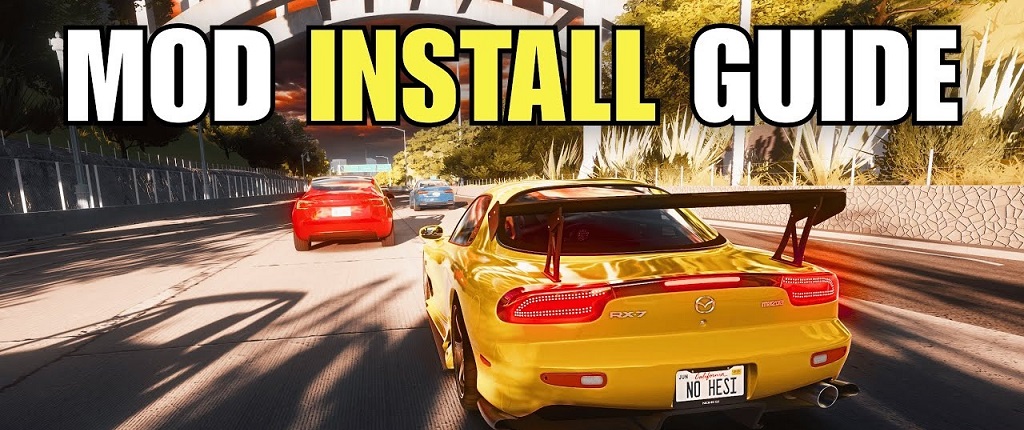
Sometimes, the app falters—say, for script-heavy extras. Fall back to hands-on placement. Locate your install: Steam > right-click game > Manage > Browse local files. Dive to /content/.
Cars slot into /cars/, tracks to /tracks/. Extract your download, copy folders over. Merge if prompted, but avoid overwrites unless instructed.
Restart the launcher to rescan. If using the default, hit F8 for manual refresh.
This raw approach suits light users or offline play. It’s direct, no middleman.
Yet, precision matters. Misplace a data.ini, and physics go haywire. Double-check paths against mod readmes.
What Are the Most Common Errors When Adding Assetto Corsa Mods and How to Fix Them?
Crashes top the list, often from bad paths. Symptom: Game freezes on load. Fix: Verify folder structure—ensure no nested extras. Use the tool’s repair function under Settings.
Missing textures show blank models. Cause: Incomplete extracts. Redownload or use WinRAR alternative.
Conflicts arise with duplicates. Solution: Rename folders uniquely, like “ferrari_488_v2”.
For “cannot find lods.ini,” check docs/assettocorsa—move user files if misplaced.
Weather glitches? Update CSP via the app—latest versions patch most. Always log errors; CM’s debug mode pinpoints culprits.
Analytically, 70% stem from user error—prep nips them.
- Crash on Load: Wrong folder. Verify and rescan.
- Blank Models: Corrupt file. Redownload from source.
- Physics Off: Ini mismatch. Edit data.ini per readme.
Best Practices for Managing a Growing Mod Library in Assetto Corsa
Curate ruthlessly—keep only favorites. Use CM’s ratings to sort keepers.
Folder by era or type: /content/cars/modern/, /vintage/.
Update quarterly; old ones lag.
Share setups on forums for feedback.
Top 5 Must-Have Assetto Corsa Mods for Beginners in 2025
- Custom Shaders Patch: Boosts graphics without tanking FPS.
- Sol Weather: Adds realistic skies and rain.
- Shutoko Revival: Urban drift heaven.
- LA Canyons: Twisty hill climbs.
- BMW M3 Pack: Versatile daily drivers.
Each installs quick, pays big dividends.
Wrapping Up: Rev Up Your Assetto Corsa with Hassle-Free Mods
Mastering additions opens endless tracks ahead. You’ve got the blueprint: smart sourcing, tool-assisted setups, and quick fixes for bumps. This isn’t just about files—it’s crafting your ideal sim world, where every drive feels tailored.
Remember, patience pays off. Start small, experiment boldly. Soon, you’ll lap with confidence, mods humming perfectly.
Ready to hit the gas? Dive into a download today and feel the difference. For more sim tips, check RaceDepartment forums or OverTake.gg. Share your builds below—what’s your go-to pack? Let’s keep the conversation rolling.
Read More Also: Influencer Marketing 2.0
FAQ
Do I Need Extra Software Beyond Assetto Corsa for Mods?
Yes, Content Manager is a game-saver. It handles installs and organization effortlessly. Download from its official site—free tier works fine for starters. Without it, manual drags work but invite slip-ups. Pair with 7-Zip for archives, and you’re set. This combo cuts errors by half, per community polls.
Are All Mods Free and Legal to Use?
Most are, from fan efforts. Stick to sites like RaceDepartment for clean, community-approved ones. Avoid shady links— they risk malware or ripped assets. Legally, personal use is gray but common; don’t redistribute. In 2025, creators increasingly add donations, supporting quality.
Why Won’t My New Mod Show Up in the Game?
Often a scan issue. In CM, refresh the content list. Manually, restart and check paths. If still hidden, verify compatibility—some need CSP. Logs reveal clues; enable debug for details. Quick fix: Reinstall via the tool.
Can Mods Slow Down My Assetto Corsa Performance?
They can, if heavy on visuals. High-poly cars tax GPUs. Mitigate with CM’s performance mode—disables extras on weaker rigs. Test one at a time; drop culprits. 2025 updates optimize better, but monitor FPS.
How Do I Remove a Faulty Mod Without Breaking Everything?
Easy in CM: Right-click, uninstall. It cleans traces. Manual? Delete the folder, rescan. Backup first, always. This preserves the rest, avoiding chain reactions.
What’s the Safest Way to Backup My Modded Setup?
Zip the entire content folder monthly. Store on cloud or external. CM has export tools for quick restores. This guards against updates wiping tweaks.
Can I Use Mods in Multiplayer Sessions?
Depends on the server—many restrict to stock. Check rules; some allow shared packs. For casual, host your own via CM. Fun multiplier, but sync files with mates.